01 / Get familiar
What you’ll practise.
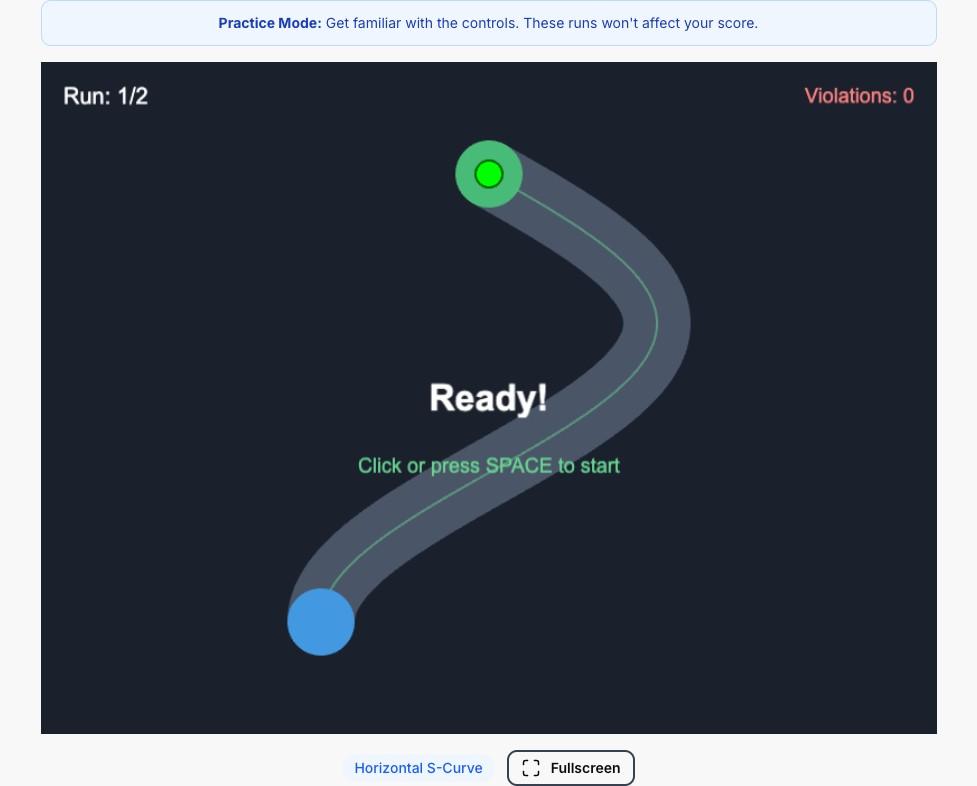
The exercise uses two different controls at the same time: keyboard input for horizontal movement and mouse movement for vertical control. The aim is to guide the target through a winding path.
Each session includes two practice runs followed by ten test runs on the chosen path. The results help you review completion time and contact with the path boundaries.
Bimanual Coordination
Ability to use both hands simultaneously for different tasks
Fine Motor Control
Precise movements under time pressure
Hand-Eye Coordination
Visual tracking and motor response synchronization
Response Accuracy
Maintaining precision while working quickly
02 / The format
How the practice works.
Practice Runs
Complete 2 practice runs to get familiar with the dual controls
Navigate the Path
Use keyboard (left/right) and mouse (up/down) to guide the ball
10 Test Runs
Complete 10 repetitions as quickly and accurately as possible
03 / Your approach
A few things to try.
Left Hand: Keyboard
Use A/D or Arrow Left/Right keys to move the ball horizontally. Keep your fingers ready on the keys.
Right Hand: Mouse
Move your mouse up/down to control vertical ball movement. Smooth movements are key.
Stay Centered
Keep the ball centered in the path channel. This gives you the most room for error.
Practice First
Use the 2 practice runs to get comfortable with the controls before the real test begins.
04 / Before you begin
Common questions.
What is the 2 Hand Co-ordination test?
It's a bimanual coordination test where you navigate a ball through a winding path using two different controls simultaneously - keyboard for horizontal movement and mouse for vertical movement.
How do the controls work?
Left hand: Use A/D keys or Left/Right arrow keys to move left/right. Right hand: Move your mouse up/down to control vertical movement. The two controls work independently.
What happens if I touch the boundaries?
A buzzer sounds when your ball touches the path edges. Boundary violations are tracked and affect your final score. Fewer violations = higher score.
How many runs are there?
You get 2 practice runs to learn the controls, followed by 10 test runs. All runs use the same path shape, so you can improve with repetition.
What equipment do I need?
A physical keyboard and mouse are required. The test cannot be completed on touchscreen devices alone. A mouse or trackpad with smooth vertical movement is essential for good performance.
Can I see my scores after each run?
Yes! After each run, you'll see your time and boundary violations. The practice runs let you get familiar with the controls before the 10 scored test runs begin.
Does this test work on mobile or tablet?
The practice needs a physical keyboard and mouse or suitable trackpad for two independent controls. You can read the guide on a phone or tablet, but touch input alone is not the intended practice setup.
Can I practise for free?
Core practice is free and can be used without an account. Sign in if you want completed results saved to your account. The optional additional practice pack is a separate purchase.