01 / Get familiar
What you’ll practise.
The practice separates auditory attention, visual search and combined attention into three modes. This lets you get familiar with each task before bringing them together.
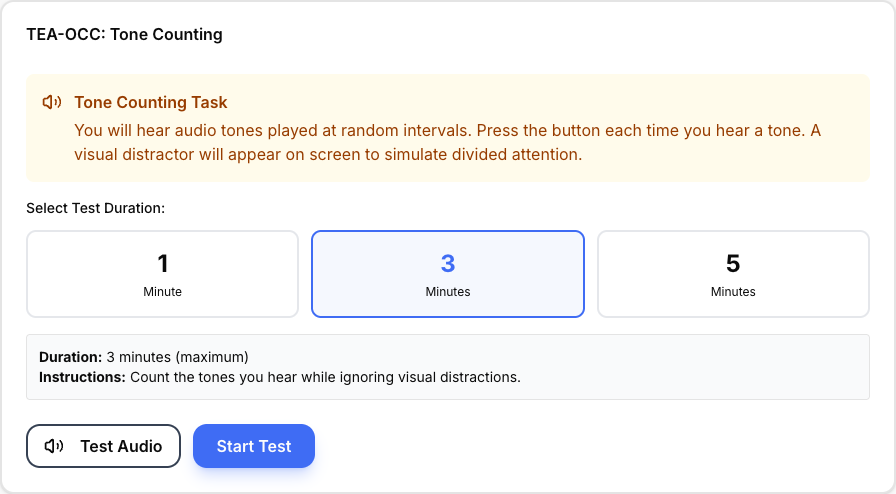
Tone Counting uses audio while visual distractions are on screen. Directory Search asks you to find entries matching both a symbol and a number prefix in a shuffled 180-entry fictional directory. Dual-Task combines that search with counting tones. Similar prefixes and other business types act as distractors.
Three ways to practise
Tone Counting
Auditory attention test with actual audio tones played at random intervals. Test your ability to maintain focus on sound while ignoring visual distractions. Choose your test duration.
- Sustained auditory attention
- Resistance to visual distraction
- Auditory processing accuracy
Directory Search
Visual search practice with 180 fictional directory entries, matching both a category symbol and a number prefix among similar distractors.
- Selective visual attention
- Visual search efficiency
- Processing speed
Dual-Task
Combined test - search the directory while simultaneously counting audio tones. The classic TEA-OCC challenge measuring task switching and divided attention.
- Task switching
- Dual-task performance
- Divided attention
02 / The format
How the practice works.
Select Mode
Choose tone counting, directory search, or dual-task based on what you want to practice
Follow Instructions
Each mode has clear instructions explaining the task and time limit
Get Results
Complete the test to see detailed performance metrics and improvement areas
03 / Your approach
A few things to try.
Start with Tone Counting
Mock 1 isolates auditory attention. Practice focusing on audio while ignoring visual distractions.
Master Directory Search
Mock 2 focuses on visual search. Learn to work systematically through the directory entries.
Combine Skills
Mock 3 puts both together. Stay calm - the audio counting is secondary to the main search task.
Build Endurance
Practice shorter durations first, then work up to the full 10-minute dual-task test.
04 / Before you begin
Common questions.
Why are there three different test modes?
The TEA-OCC has been split into three focused tests. Mock 1 tests pure auditory attention, Mock 2 tests visual search, and Mock 3 combines both. This lets you practice each skill in isolation before attempting the dual-task challenge.
Which test should I start with?
Start with Mock 1 (Tone Counting) - it tests basic auditory attention. Then try Mock 2 (Directory Search) to master visual search. Finally, attempt Mock 3 (Dual-Task) when you're comfortable with both skills separately.
Do I need headphones for the tone counting tests?
Yes, headphones or speakers are required for Mock 1 and Mock 3 as they include actual audio tones. Make sure your audio is working before starting.
How often do the tones play?
The tones are generated at varying intervals. Listen throughout the session and use the instructions for the selected mode and duration.
What equipment do I need?
For Mocks 1 and 3: headphones or speakers for audio. For all tests: a computer or tablet with stable internet. A mouse helps with the directory search task.
My audio isn't working - what should I do?
Check the device volume and audio output, and make sure your browser is allowed to play sound. Test your headphones or speakers before starting a timed audio session.
Can I practise for free?
Core practice is free and can be used without an account. Sign in if you want completed results saved to your account. The optional additional practice pack is a separate purchase.